 DOC
Session permissions
Allow, prevent or prohibit capabilities in the sessions opened through a delegation.
This guide shows how to set them. What each permission means is in the concept.
For one delegation
Section titled “For one delegation”Open the delegation and select its Session permissions tab. Find capabilities by name, technical name or component, narrow them with the chips (overridden, each permission, with risks) and save the changes from the bar at the foot of the window.
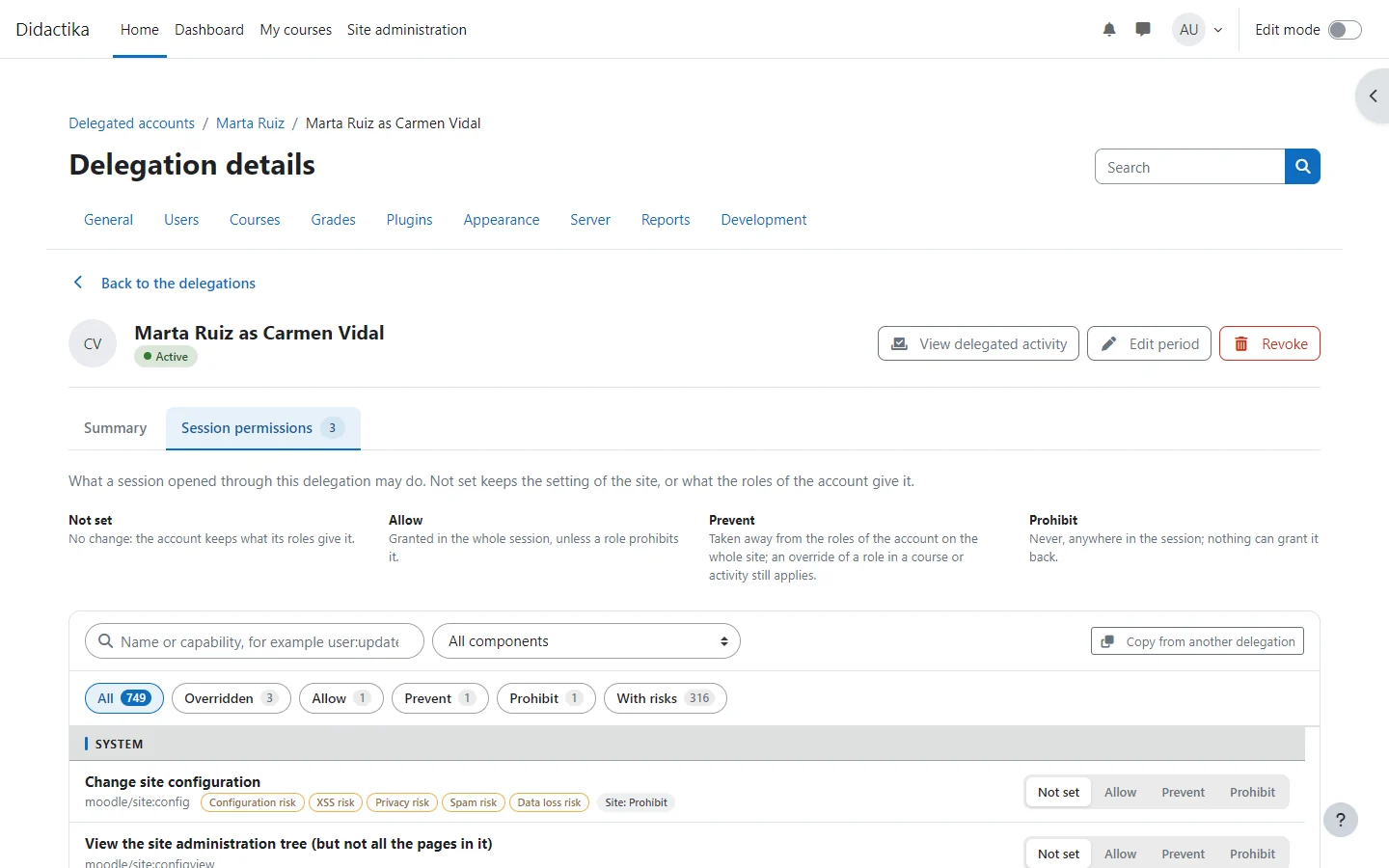
Copy from another delegation loads the overrides of another delegation to review before saving.
For every delegation of the site
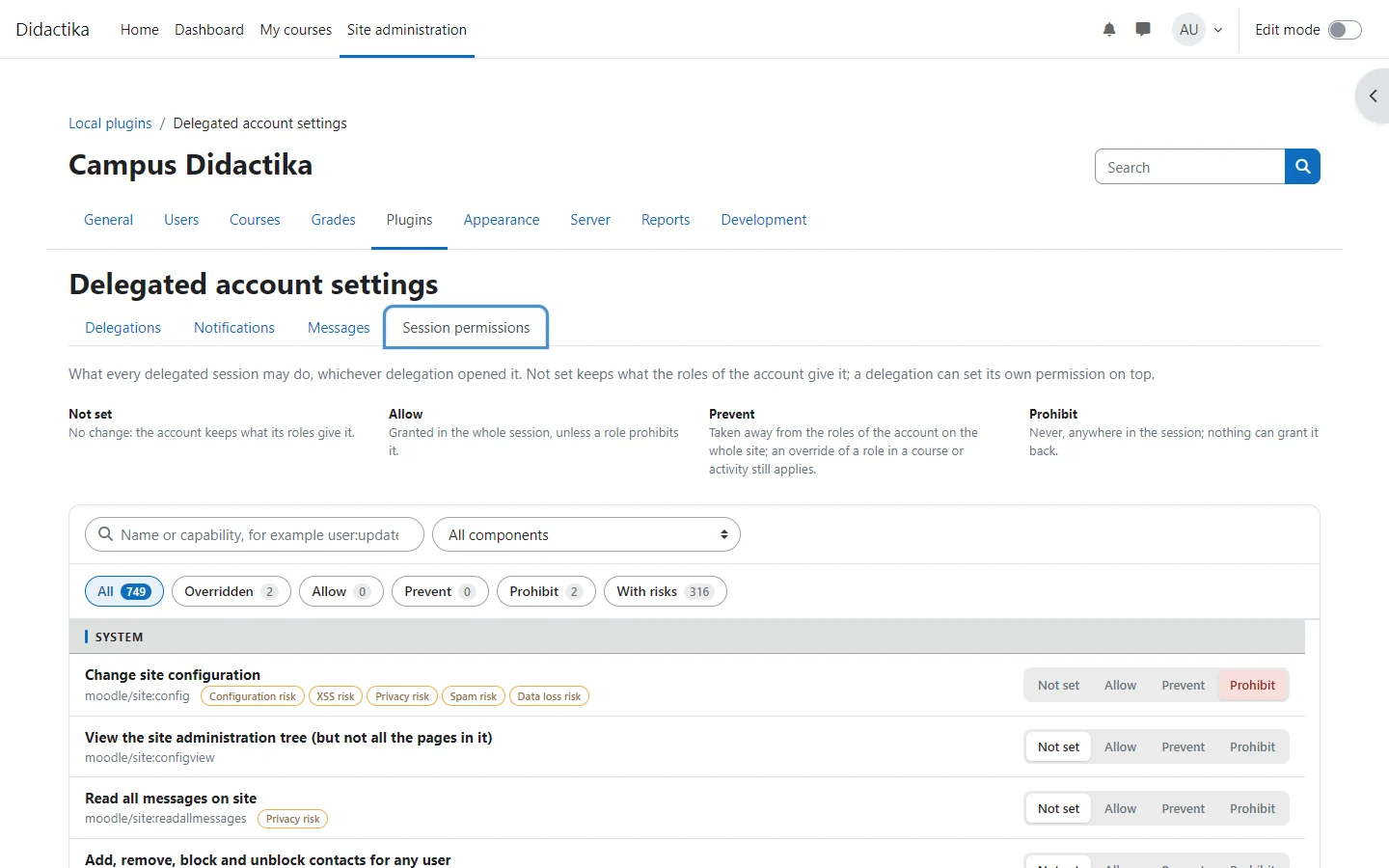
Section titled “For every delegation of the site”The Session permissions tab of the settings works the same way and sets what applies to every delegation. A delegation set to Not set follows it.
For many delegations at once
Section titled “For many delegations at once”Select them in a list and choose Session permissions in the bar: pick the capabilities and the permission each gets (or Remove the override), or copy the overrides of one delegation, adding them to the ones there or replacing them. The selection can be every delegation that matches the list, and the change is written in batches, so it scales to any number of delegations.