 DOC
Manage delegations
Find, edit, revoke and review delegations, one at a time or in bulk.
Select a person’s name to open their delegations, or use the All delegations tab to work with the delegations of everyone. The chips show the Active, Scheduled, Expired and Revoked ones with their counts, and each row shows the period, the last time it was used and its session permissions.
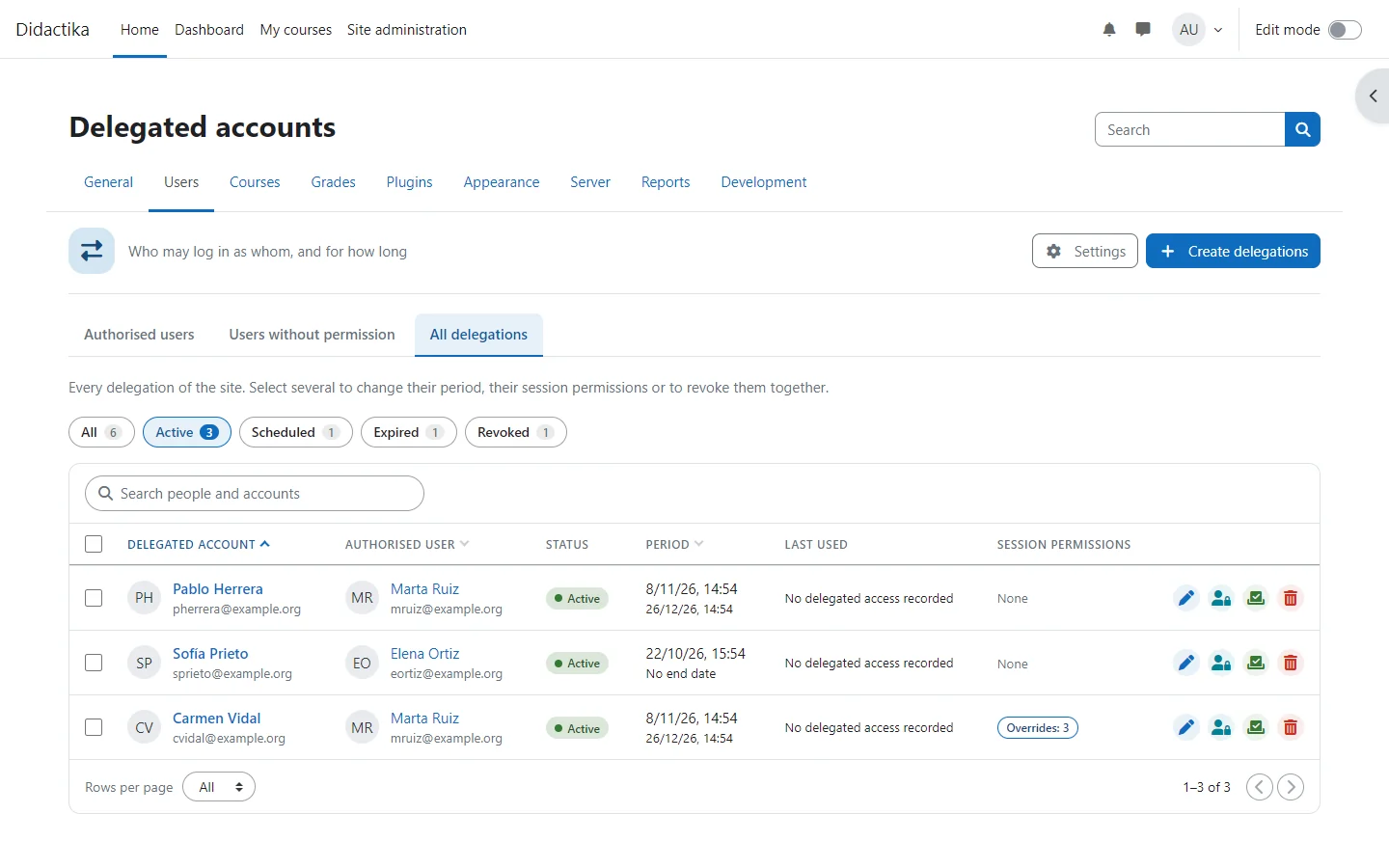
The icons of a row
Section titled “The icons of a row”The icons at the end of a row edit the period, open the session permissions, open the activity report and revoke the delegation. The red one ends access at once, also in a session that is open.
Select the name of an account to open the page of its delegation, with its details, its history and its Session permissions tab.
Act on several delegations
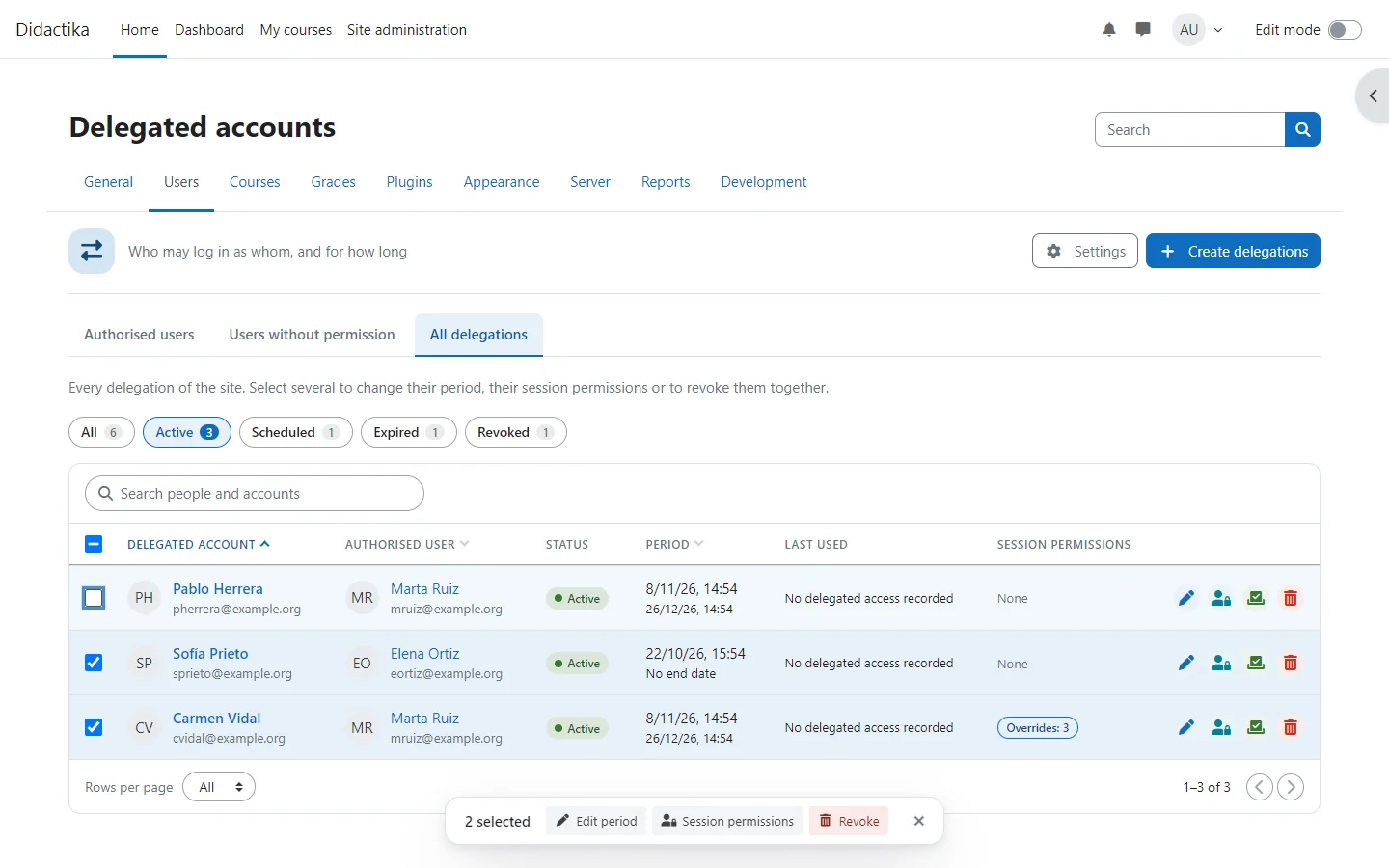
Section titled “Act on several delegations”Select rows to act on several at once from the bar that appears at the foot of the window: Edit period, Session permissions and Revoke. When a whole page is selected, Select all extends the selection to every delegation that matches the search and the chip.
People who lost the permission
Section titled “People who lost the permission”The Users without permission tab lists people who still have delegations but no longer hold the permission, for example because their role was removed or their account was suspended. Their history and activity stay available, but they cannot use their delegations and cannot receive new ones.