 DOC
Create delegations
Choose who may open which accounts, and when.
Go to Site administration > Users > Accounts > Delegated accounts. The Authorised users tab lists everyone who holds the permission, with their active and scheduled delegations. Search by name, username, email or ID number, and use the chips to see the people who have delegations in a status, or none.
- Select Create delegations at the top of the page to choose several authorised users and several accounts at once, or the add icon on a user’s row to create delegations for that user only.
- Choose the authorised users and the delegated accounts.
- Choose when access starts and, optionally, when it ends.
- When the site allows it, choose whether to notify the people involved, and save.
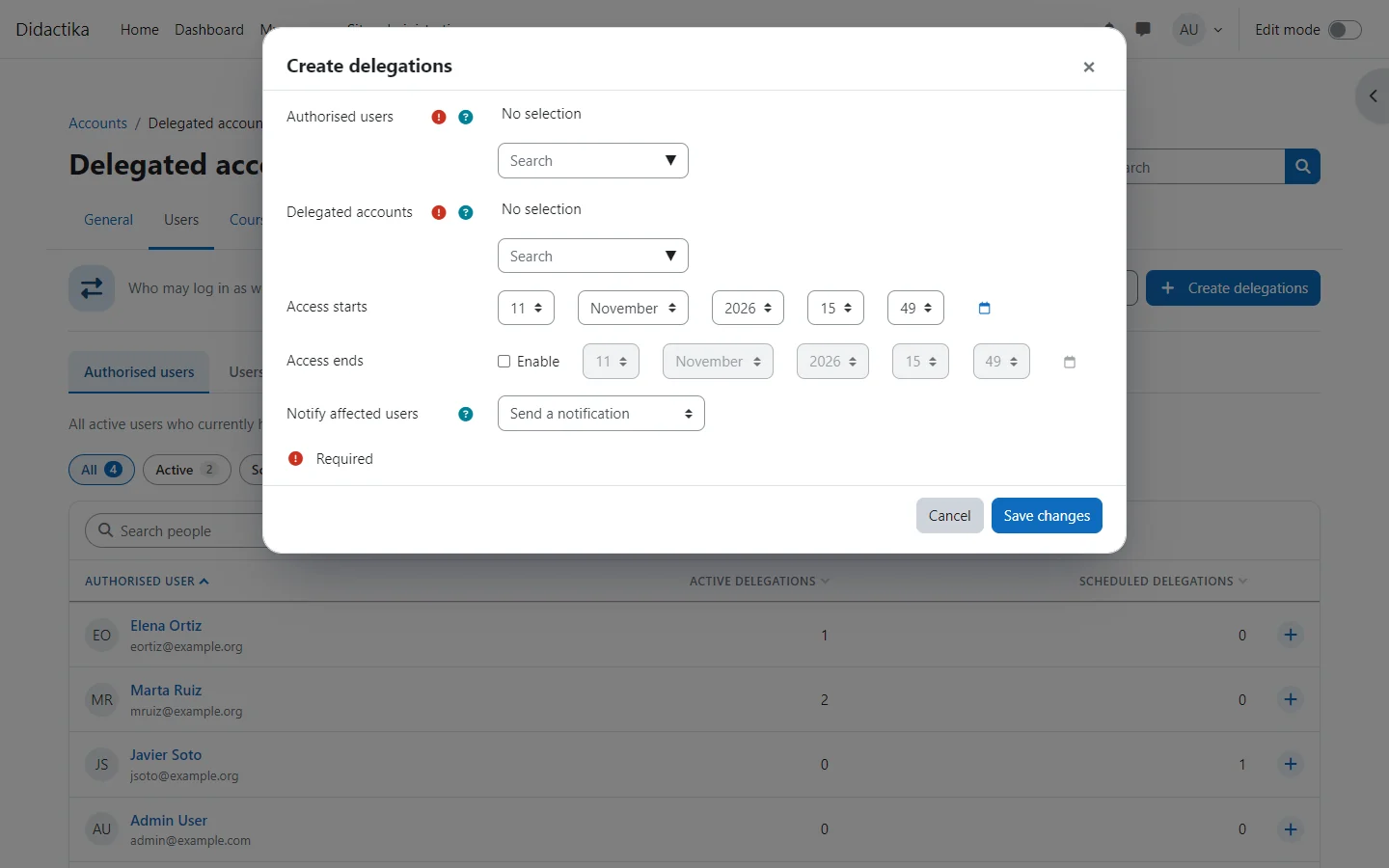
Creating delegations for several people and several accounts creates every pair. A pair that already has a current delegation is left as it is, so repeating the action is safe.
What the account picker offers
Section titled “What the account picker offers”The account picker only offers active accounts. It leaves out:
- the authorised user themselves;
- accounts they already have a delegation for that has not been revoked;
- the guest account;
- site administrators, while they are protected.
To give access again after a delegation expires, edit the expired delegation instead of creating a new one.